
Master the Art of Editing Milky Way Photos
Transform your night sky images with professional editing techniques taught by the author of some of first ever Milky Way photography tutorials.
Milky Way Master Class Video Tutorials






In this Master Class I show you how to create stunning Milky Way photos with pinpoint stars and low noise, in focus from the foreground to the stars!
Step by step videos will guide you through the entire editing process, from star stacking, to exposure blending, to creative edits.
The videos use Lightroom Classic and Photoshop, but most techniques will apply to other raw editors and image editing programs.
This Master Class contains over 6 hours of training split into two separate modules.
WATCH THE PREVIEW!
See my ENTIRE editing workflow including:
Star Stacking
Raw Image Prep
Focus Stacking
Exposure Blending
Hot Pixel Removal
Creative Edits
And MORE!

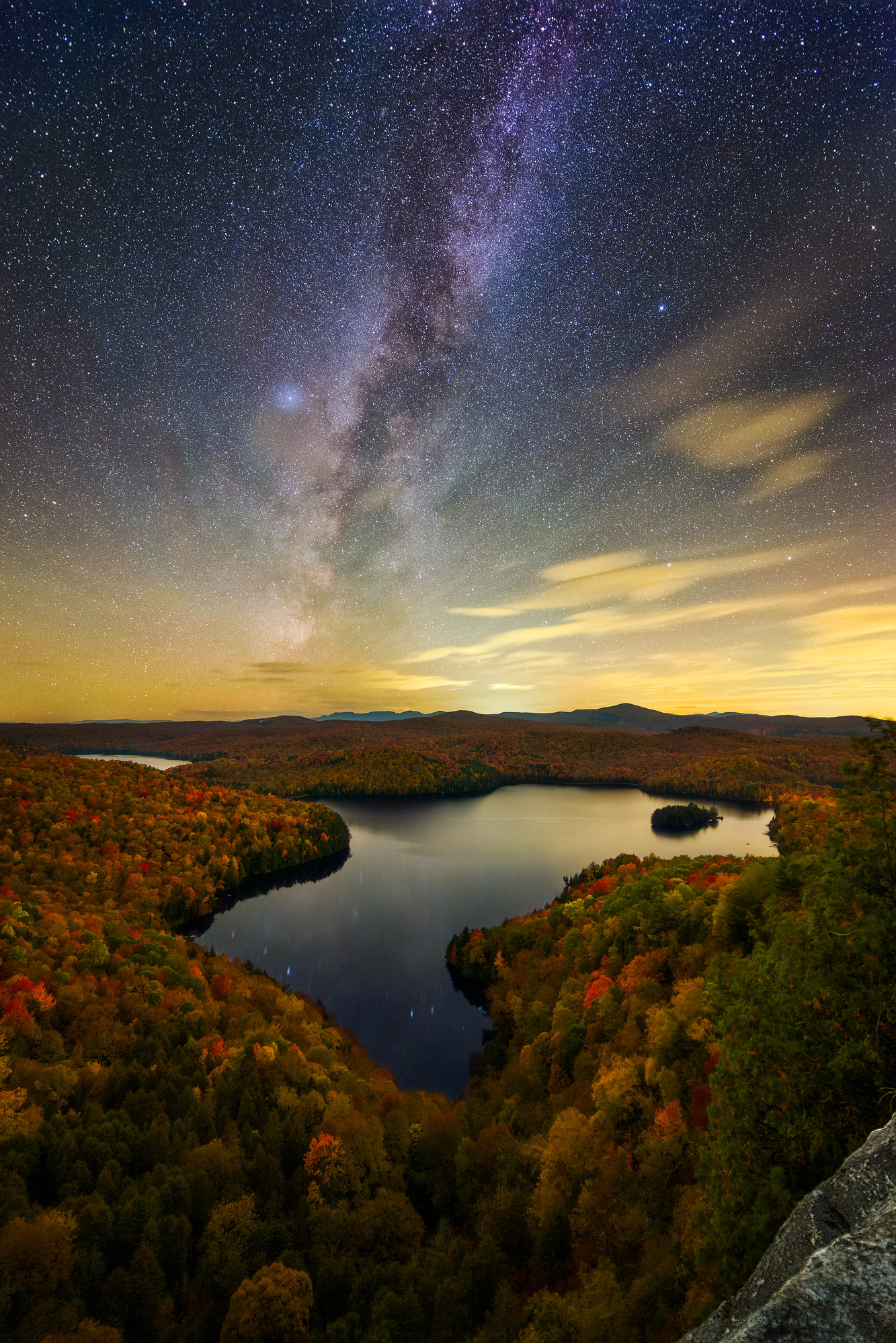
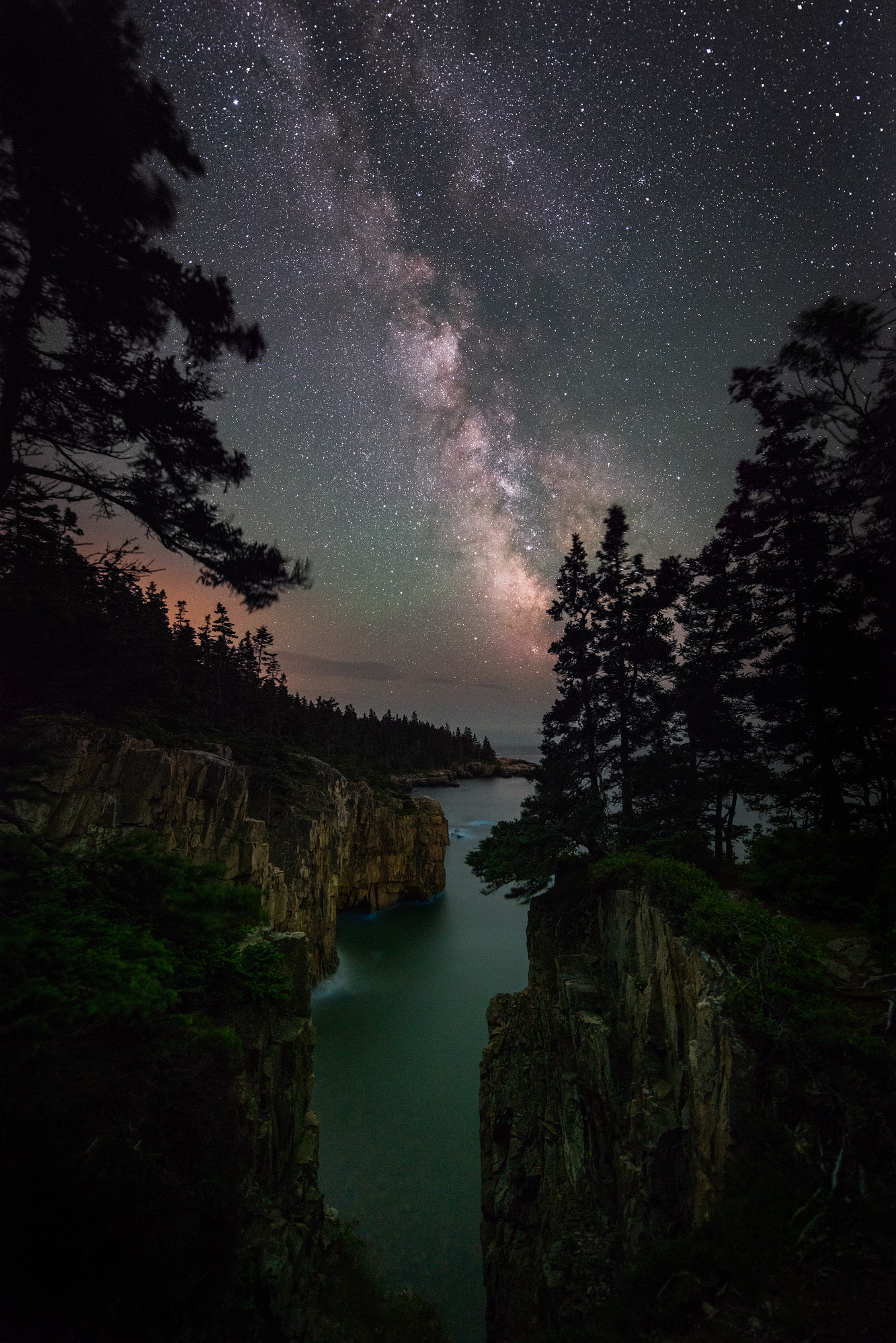
TOPICS COVERED
- Camera settings
- Workflow basics
- White balancing a night sky with airglow
- Dealing with lens distortion corrections
- Star stacking with Starry Landscape Stacker (Mac) and Sequator (Windows)
- Contrast with Curves
- Dodging and burning
- Preventing blown out stars when adjusting sky contrast
- Reducing star intensity to bring out the Galactic Core
- Advanced exposure blending
- Creating fine tuned masks for complex exposure blends
- Detailed examples of Select & Mask in Photoshop
- Combining two masks for a complete horizon mask
- Creating consistent noise texture across the image
- Focus stacking with Helicon Focus
- Removing hot pixels in Photoshop
- Calculating shutter speeds for the sky and foreground
- Basic & Advanced Creative Editing Techniques
EDITING WORKFLOW
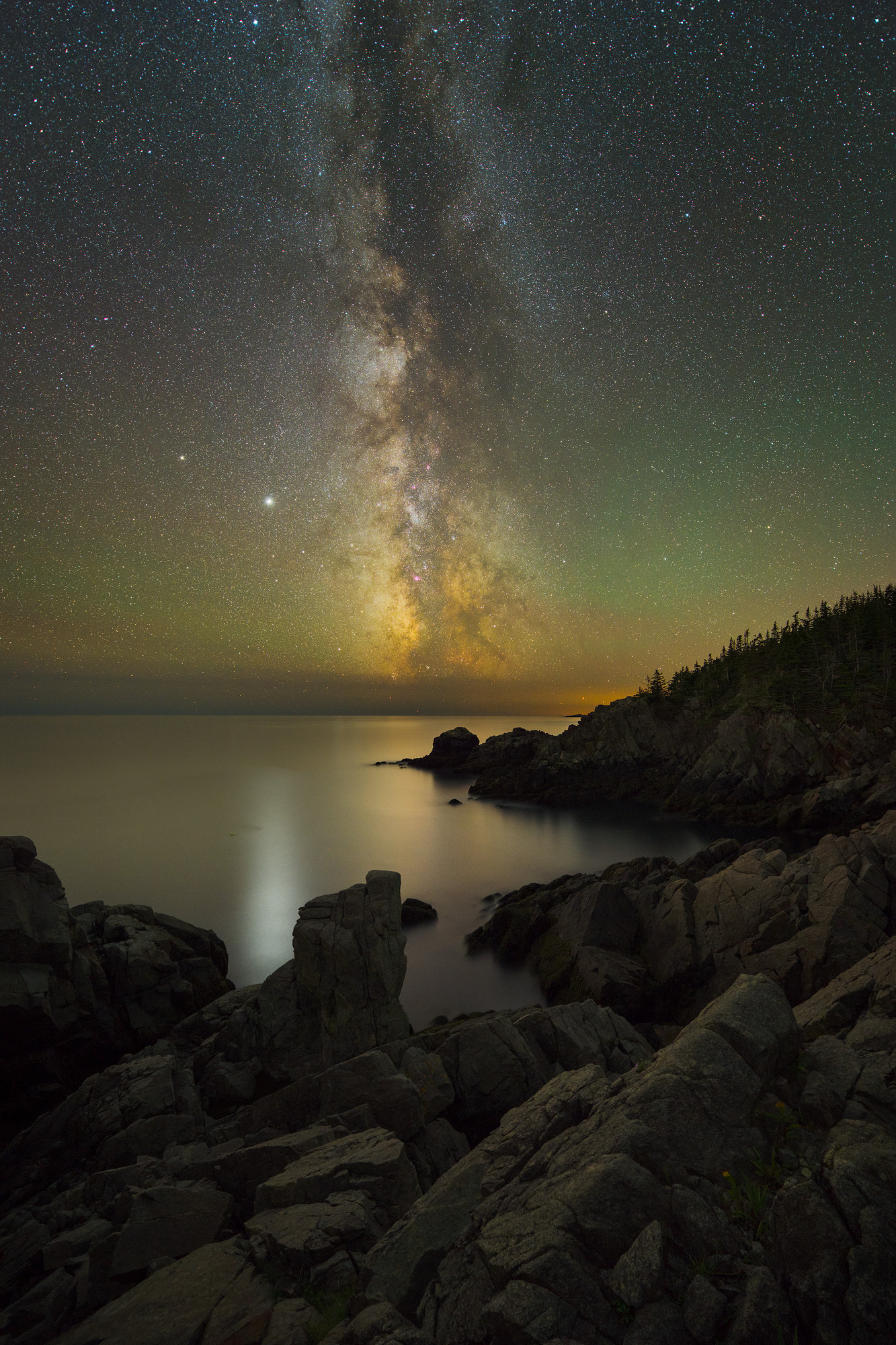
The workflow module covers an entire start to finish demonstration with the image to the left. We will cover:
- Reviewing the raw files.
- Star stacking with raw files in Starry Landscape Stacker (Mac) and Sequator (Windows).
- Preparing the stacked image and separate foreground exposures for blending in Lightroom Classic.
- Using Capture One (optional) for easily removing most hot pixels, allowing you to skip in-camera long exposure noise reduction!
- Focus stacking in Photoshop.
- Exposure blending in Photoshop.
- Creative edits and final touches in Photoshop.
This class uses Lightroom Classic and Photoshop (with a little bit of Capture One), but most techniques will be applicable to other raw editors such as ON1 Photo Raw, Skylum Luminar, and Capture One. Most of the Photoshop techniques will work in Affinity Photo except for the advanced exposure blending techniques shown. Affinity Photo does not have the same tools for fine tuning masks.
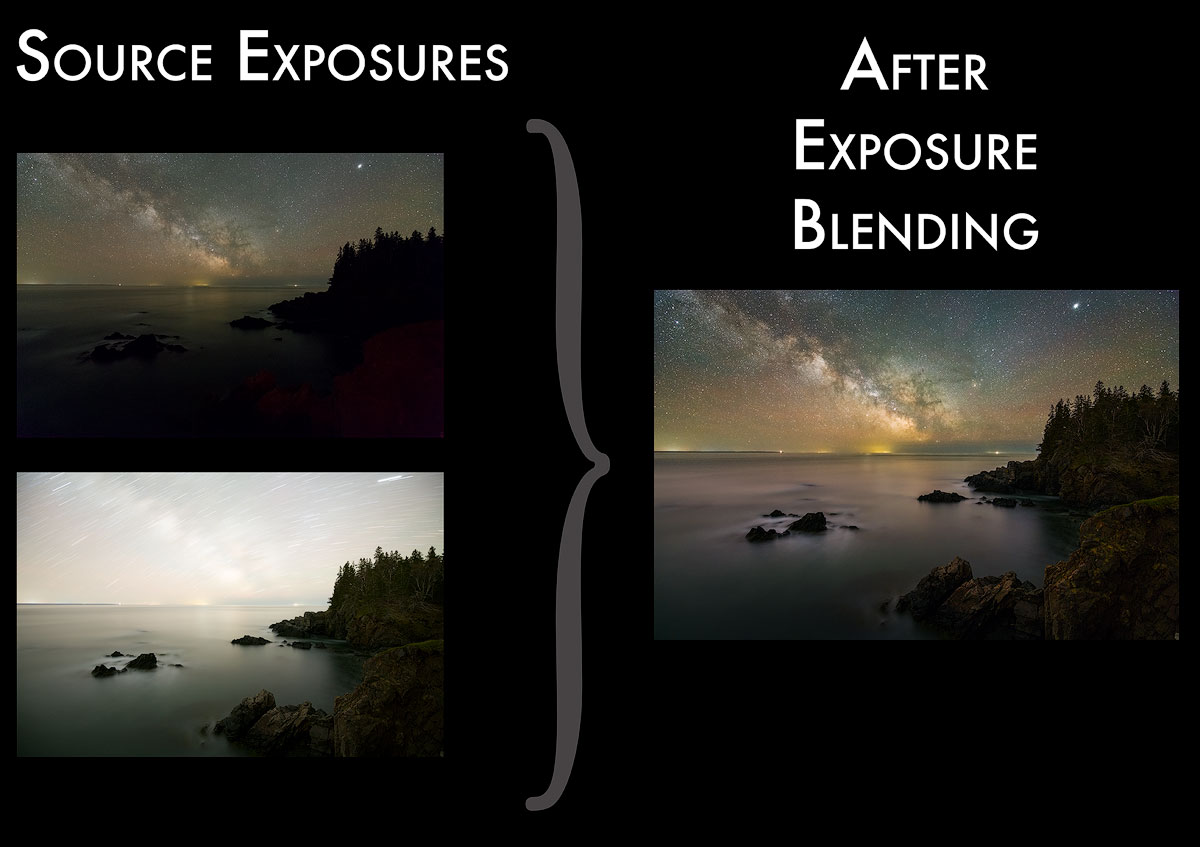
EXPOSURE BLENDING
Learn how to use advanced masking tools to create seamless blends for complex horizon blends.
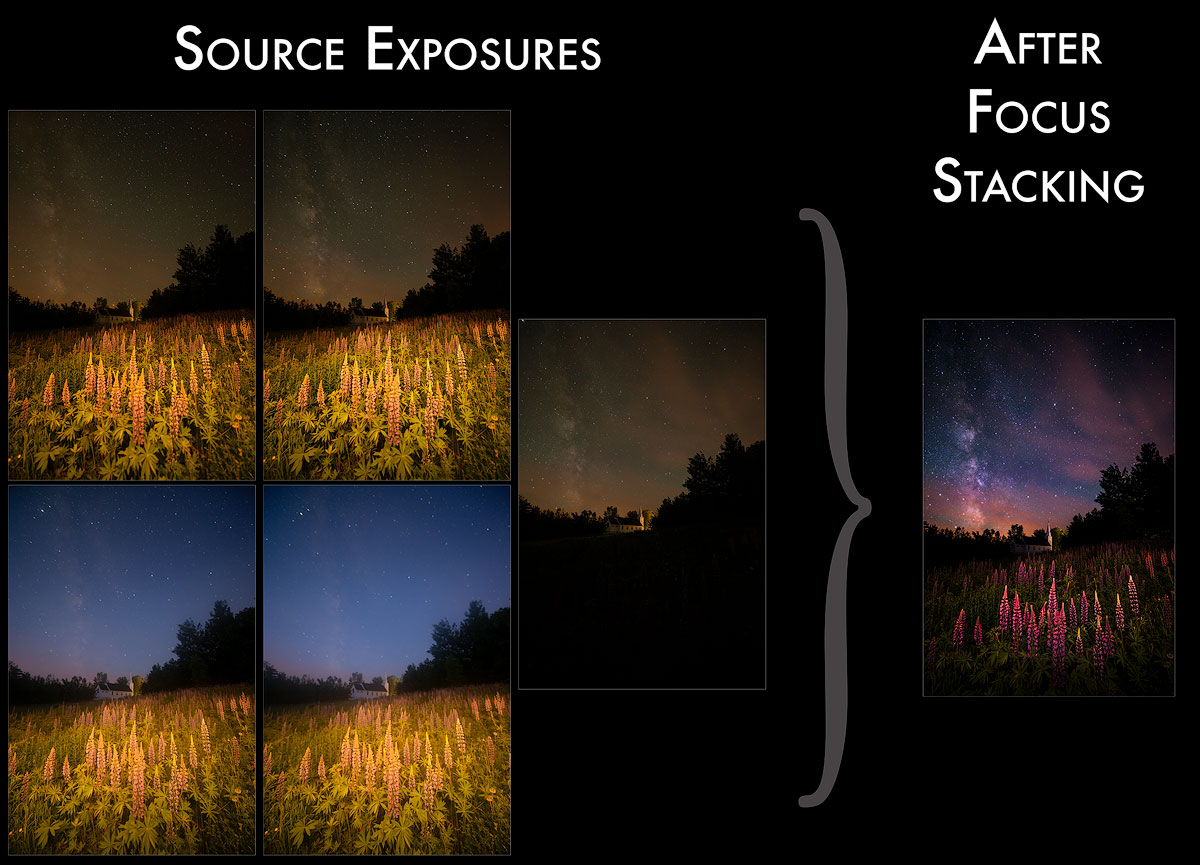
FOCUS STACKING
In this example of a field of lupines you will learn how I used Helicon Focus, a dedicated focus stacking tool, to create an image with the entire field of lupines in focus.
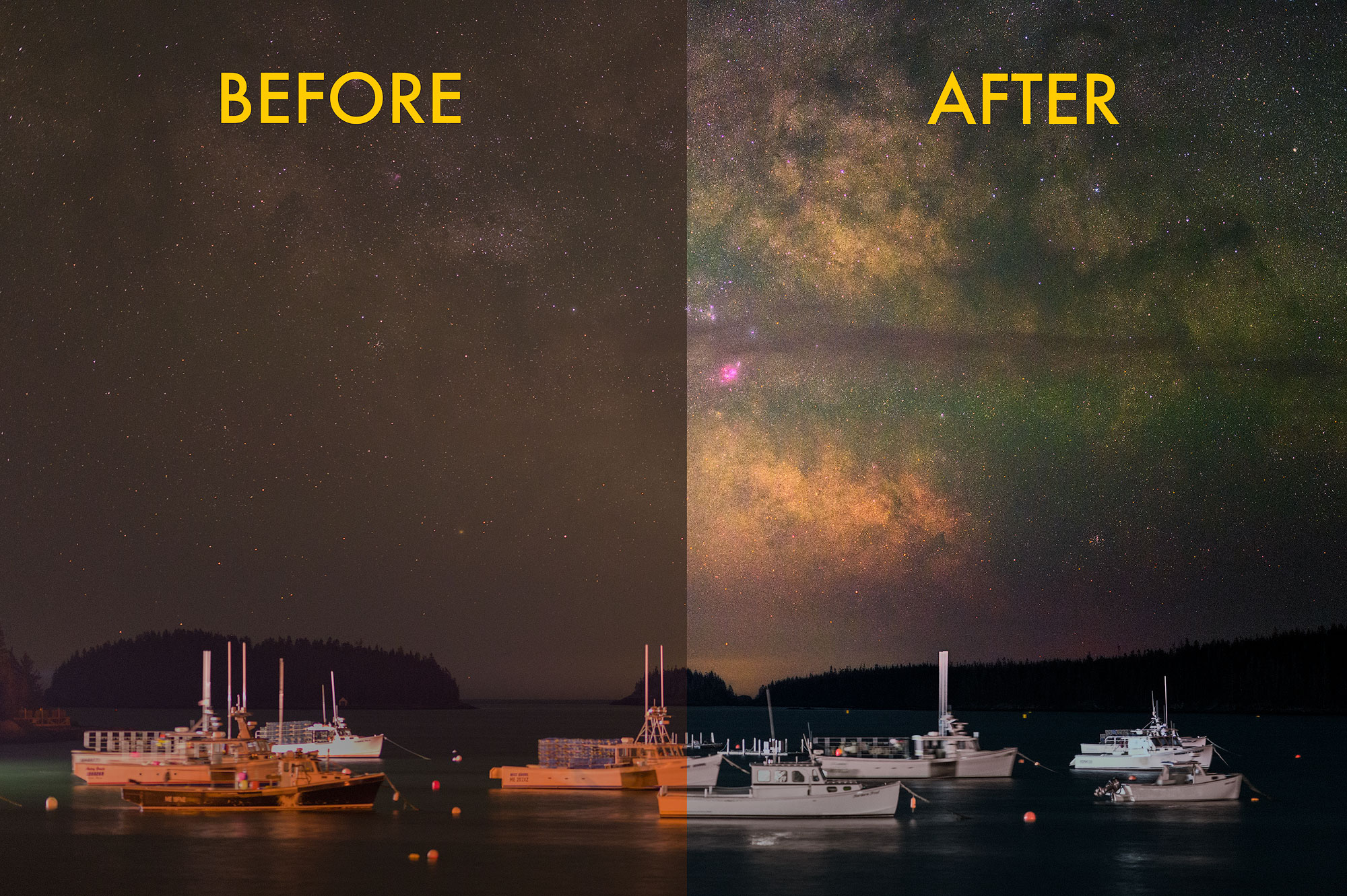
CREATIVE EDITS
Learn various creative editing techniques in Photoshop to really bring your Milky Way photos to life!
VIDEO CHAPTERS
Editing Workflow Chapters
- Overview of Star Stacking and Foreground Exposure Techniques
- Software and Display Considerations
- Workflow Overview
- Disabling Lens Distortion Corrections
- Raw Files Overview
- Star Stacking in Starry Landscape Stacker
- Star Stacking in Sequator
- Pre-Blend Prep of Stacked Image
- Pre-Blend Prep of Foreground Exposures in Lightroom
- Pre-Blend Prep of Foreground Exposures in Capture One
- Exposure Blending
- Noise Reduction
- Removing Hot Pixels
- Contrast with Curves
- Color Balance with Curves
- Adobe Camera Raw as a Smart Filter
- Protecting Stars
- Star Reduction
- Final Touches
- Additional Creative Edits Example
- Noise Matching Example
- Star Stacking Lighthouse Example
- Star Stacking Reflection Example
- More With Curves
Exposure Blending Chapters
- Review of some basic Photoshop techniques
- Example 1 - Basic blend and pond reflection
- Example 2 - Introducing Select & Mask
- Example 3 - Advanced Select & Mask
- Example 4 - Controlling manual blends with selections
- Example 5 - Bright ambient foreground at a Lighthouse
- Example 6 - Complex focus stacking a field of lupines with Helicon Focus
WATCH A SAMPLE CHAPTER!
EXAMPLE FILES INCLUDED
Raw files are included for the primary photo used in the workflow module, and downscaled TIFF files are included for all other images.
DOWNLOAD INFORMATION
- This is a download purchase, not a streaming class. Once downloaded you can keep them forever and copy them to as many of your own devices as you want!
- No internet connection required after download.
- Purchasing gives you a link to download the videos in a ZIP file.
- 1080p HD (1920x1080 resolution)
- MP4 format compatible with most video players.
- Total size is 2.4 GB
- Runtime: Over 6 HOURS of training!
- The video is narrated in English (no subtitles).
- As this is a digital download, refunds are not available.
FREE BONUS #1
PhotoPills Training Video Tutorial
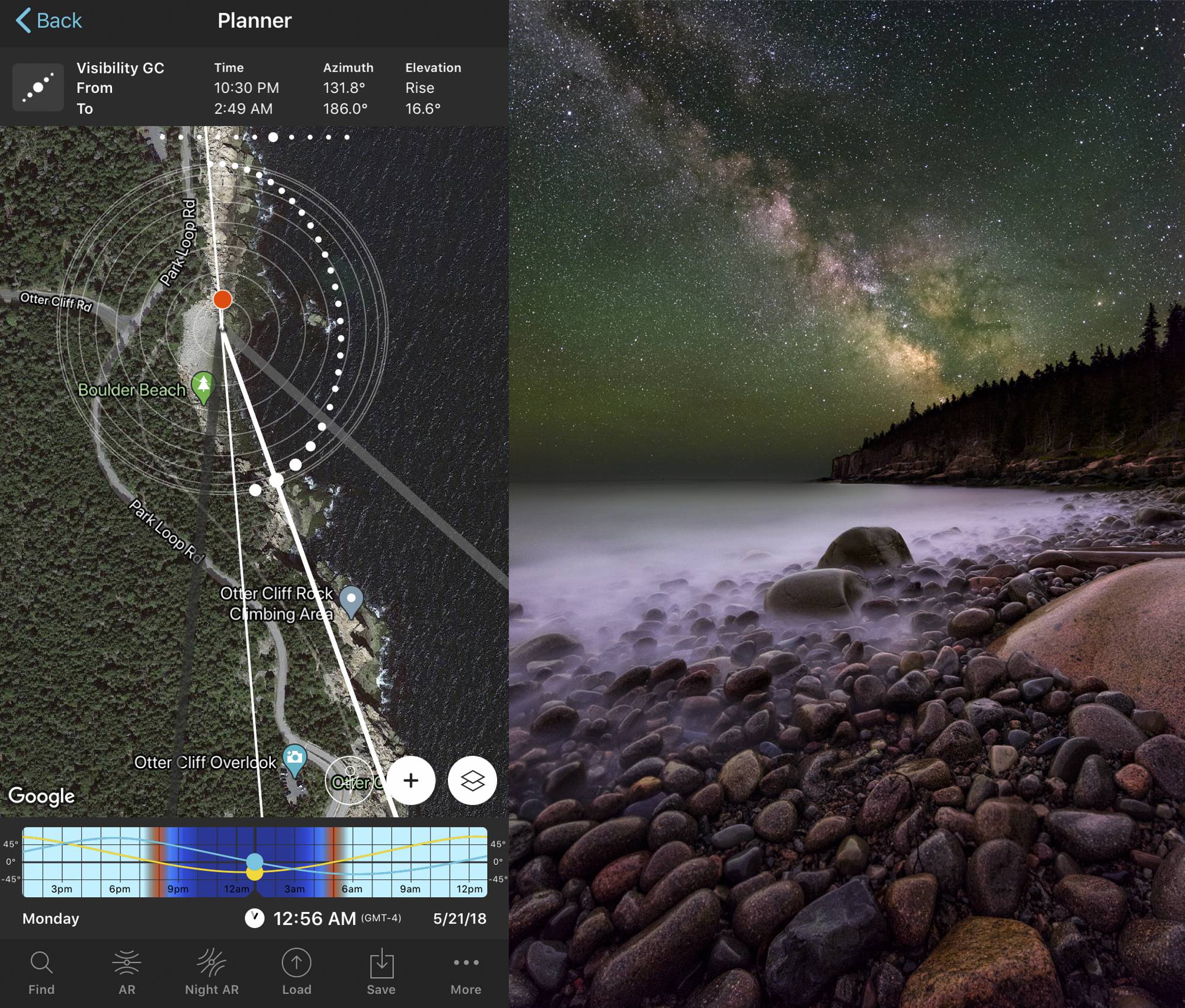
2.5 hours of training on the PhotoPills Planner, including an Augmented Reality demonstration.
Normally $45, yours for FREE as part of this special offer!
This recorded webinar goes over everything you need to know to use PhotoPills to plan sunrise, sunset, moon, or Milky Way photos.
Runtime: 2.5 hours
PhotoPills is an app for iOS and Android devices that allows you plan just about any landscape photography shoot. Using a 2D map you can plan sunrise/set, moonrise/set, or Milky Way photos anywhere on the planet and any time of the year. It also includes other tools for helping with calculating shutter speeds, a moon calendar, eclipse planner, and meteor shower planner.
Instead of a deep dive into every aspect of PhotoPills, this training focuses on just the planner part of PhotoPills that I use most to plan day & night landscape photos. It also includes a demo of using augmented reality.
After purchase you will be given a link to download a zip file that contains the mp4 video file. This is not an online streaming video, you will download it and play it on your computer.
Topics Covered
- Introduction to PhotoPills and overview of the app
- Overview of the Planner pill (module)
- Using the Planner for sunrise, sunset, moonrise, moonset, and Milky Way photos
- Many demonstrations of the planner
- How to tell the size of the sun or moon in relation to an object (like a lighthouse)
- Searching for a date when the moon or sun will line up with an object (like a lighthouse)
- How to tell where the Milky Way will be, how high in the sky it will be, and when it will work as an arc for a panorama
- Augmented Reality for day or night planning
FREE BONUS #2
Milky Way Panoramas with PTGUi Demo Video Tutorial

Learn everything you need to photograph Milky Way panoramas! Including camera settings, shooting techniques, panorama hardware, and a complete demonstration of using PTGui, the best stitching software available.
You'll see how I worked through a problematic stitching & blending example that has lens fog and other issues. Plus see the stitching issues that Lightroom often causes.
Normally $45, yours for FREE as part of this special offer!
Runtime: 1hr 52mins
"This tutorial is far superior to any I have seen."
"Many blending tutorials present a one-size-fits-all model. But anyone who has attempted blending more than twice knows that is not true. Adam's tutorial shows characteristics of blending challenges, then provides the proper tools for making a blend work perfectly. This tutorial is far superior to any I have seen."
Bruce Blaylock
Salem, VA
"The videos are perfect for every skill level"
"Adam's video tutorials are extremely clear, concise & covers techniques necessary to make your astrophotography images stand out. The videos are perfect for every skill level due to the excellent easy to follow instruction and demonstration."
Kathy C
Eagle, CO
"Adam's tutorials were by far the best and easiest to learn from."
"When jumping into astrophotography for the first time it was somewhat intimidating and frustrating. I quickly realized that learning, understanding and sticking with a solid foundation for this type of art was a MUST. I searched many resources, but found Adam's tutorials were by far the best and easiest to learn from."
Todd Walker
Sauquoit, NY
"Adam's videos are comprehensive and easy to follow."
"Adam's videos are comprehensive and easy to follow. They've helped me improve my milky way processing to a level I never expected to achieve."
Genevieve Arseneau
Orlando, FL
"Adam's video tutorials have helped advance my Milky Way processing from flat and basically vanilla to well blended images with greater color, texture, and depth."
"The techniques for capturing the Milky Way are not terribly difficult to master. However, a novice astrophotographer quickly learns that the secret sauce is in the editing techniques. Adam's video tutorials have helped advance my Milky Way processing from flat and basically vanilla to well blended images with greater color, texture, and depth. The cost/benefit ratio of Adam's tutorials is outstanding."
Rick Williams
Southington, CT
- Lightroom Classic Denoise
- New AI denoise feature in Lightroom Classic that I now use on my foreground exposures.
- I still prefer star stacking for star shots.
- For panoramas, or any time I am not star stacking, I will use the Denoise feature on the sky image(s).
- Select Sky and similar Photoshop selection tools
- AI selection tools in Photoshop have improved dramatically since I created these videos.
- I now use the AI selection tools (e.g., Select Sky) to sometimes help with the foreground & sky blending.
Milky Way Master Class
NOTE to Existing Owners of the Previous 2020 (and prior) Milky Way Master Class
This is an UPDATED Master Class, containing an entirely new Editing Workflow module that includes new topics: star stacking with raw files, avoiding lens distortion issues, using Capture One (optional), and updated creative editing techniques. The Exposure Blending module has not changed (and is still included). If you purchased my Master Class on or before December 5th, 2020, you own the PREVIOUS MASTER CLASS.